
Turn a quick message into a complete brief.
Kickoff reads what you need, assumes the rest, and writes a brief your team can start with. No marketing vocabulary required.
Brief created
Instagram carousel + story for the summer sale
Thirty seconds, start to finish
A quick look at how a message turns into a brief, and where the work goes next.
The problem
Briefs usually fall apart before work even starts.
Most people asking for creative work are not marketers. They know what they want to achieve, not how to specify it, so the gap gets filled with follow-up questions, guesswork, and rework.
Requests show up as one-liners
A sentence in chat, a passing mention in a meeting. Then someone has to chase the goal, the audience, the deadline, and the format.
The same questions, asked forever
Brand colours, tone, target audience, logo files. The team knows it, but the requester gets asked every time.
Context lives everywhere
Inboxes, threads, calls, screenshots. By the time work starts, half the story is already lost.
Nobody knows where things stand
Requesters ping for updates, the team repeats itself, and priorities get argued instead of seen.
What changes
Less asking. More making.
A complete brief from one short chat
The assistant assumes sensible defaults and only asks when it truly needs to. You do not need to know the jargon.
A memory that never asks twice
Everything the assistant learns is stored in the Brain and reused, so requesters are never asked something the workspace already knows.
One board everyone trusts
New brief, needs additional info, in progress, in review, completed. Requesters see status without asking; the team assigns owners and due dates.
Work starts on day one
Each brief lists exactly what the requester still has to provide, so nothing stalls halfway through.
Context attached, not described
Drop references, screenshots, and source files into the conversation and they stay with the brief.
Gets sharper as you use it
Every brief teaches the workspace something. The knowledge map shows what it knows and how it all connects.
Inside the product
A memory, a board, and the numbers.
Kickoff is not only the chat at the front. Behind it sits everything needed to remember, run, and measure the work.
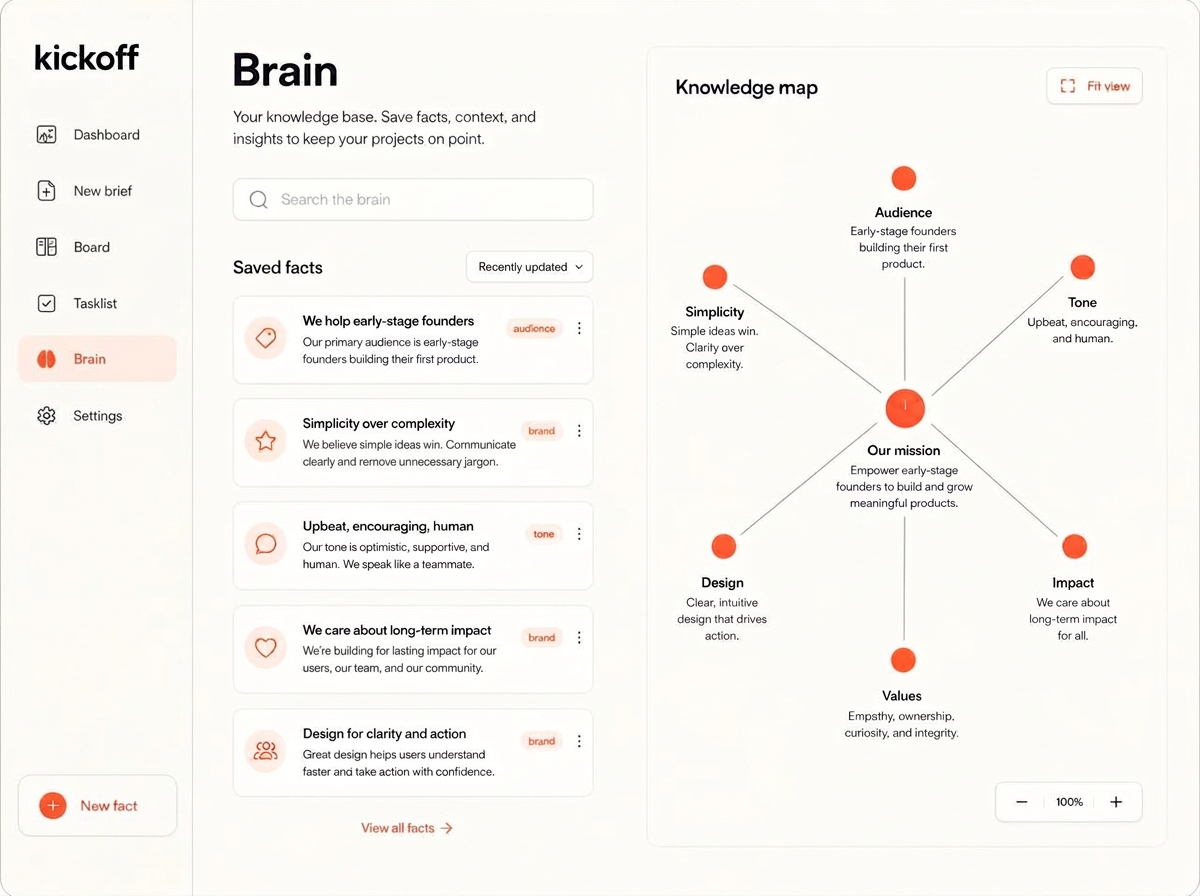
The brain behind it
It checks what you already know first
Every fact the workspace picks up gets saved: brand, tone, audience, formats, the lot. Before anyone gets asked a question, the brain is checked, so nobody repeats themselves. Search it, edit it, and see how it all connects on the knowledge map.
Run the work
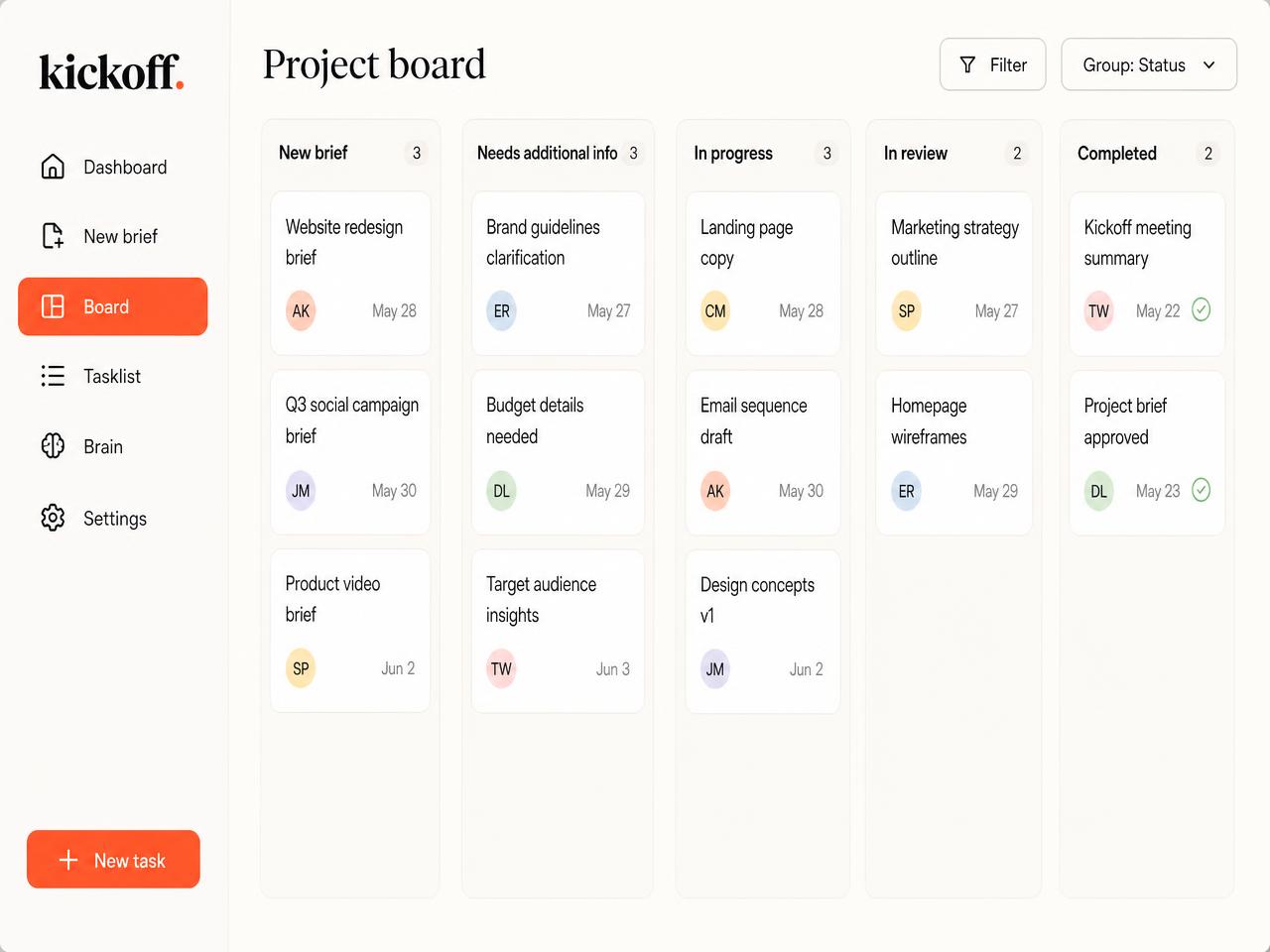
A kanban board for the big picture
Briefs land straight on the board and move from new brief to completed. Assign an owner, set a due date, and switch to the separate tasklist when you'd rather see everything as one clean list. Requesters follow along without asking for updates.
Dashboard
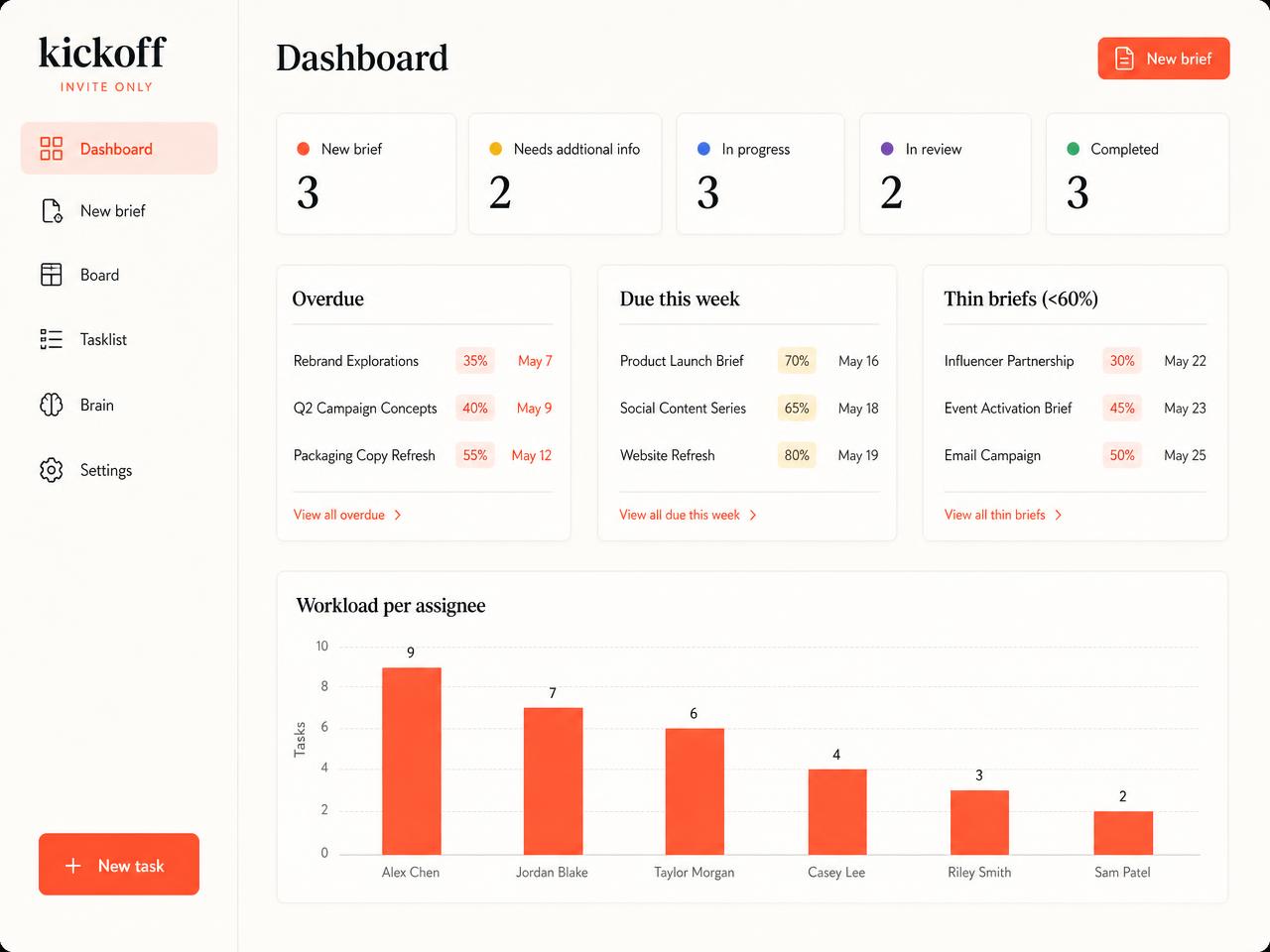
See where everything stands
Status counts across the pipeline, overdue work, what is due this week, briefs that need more detail, and workload per assignee. Everything the team needs to start the day.
How it works
From a sentence to a scheduled task in four steps.
- 01
Say it how you'd say it
Type the request out loud, in your own words. No form, no required fields, no template to learn.
- 02
The assistant fills the gaps
It checks the Brain first, proposes formats, channels, and timings you can simply confirm, and asks only when it genuinely needs to.
- 03
Confirm the summary
You get a short bullet summary: goal, audience, deliverable, channels, formats, due date, and what you still need to prepare. Confirm and the task is created for you.
- 04
The team takes it from the board
Owners and due dates get assigned, status moves along the pipeline, and everyone follows the same brief until it is completed.
Who it is for
Built for the people who ask, and the people who deliver.
For the people requesting
- Ask in plain language. No marketing vocabulary required
- Confirm suggestions instead of filling in fields
- See exactly what you need to provide, and when
- Follow the status without chasing anyone
For the team delivering
- Every brief arrives complete and in the same shape
- Assign owners and due dates straight from the board
- Reuse what the workspace already knows instead of re-asking
- One pipeline for every client and every channel
Join the waitlist
Leave your details and we will let you know the moment a workspace opens up for you.